Japanese text, sorted.
Convert half-width and full-width text, hiragana and katakana, or Japanese to romaji. Select the conversion you need.
Character width / Kana / Romaji
 smartRenamer
smartRenamer
BATCH FILE RENAMING FOR MAC
Bring order to inconsistent file names.
Choose your rules, preview the result, and rename in one go.
macOS 14 or later · Apple silicon & Intel
Normalize letter case
Examples only. No files are uploaded.
From Japanese text variations to numbered photos.
Turn your usual naming steps into a saved workflow.
Convert half-width and full-width text, hiragana and katakana, or Japanese to romaji. Select the conversion you need.
Character width / Kana / Romaji
Apply replacements, numbering, and dates from top to bottom. Use regular expressions and photo metadata for precise names.
Replace / Number / Date & EXIF
Compare old and new names, inspect differences, and spot collisions before running. Revert file name changes from history.
Preview / Validation / Undo
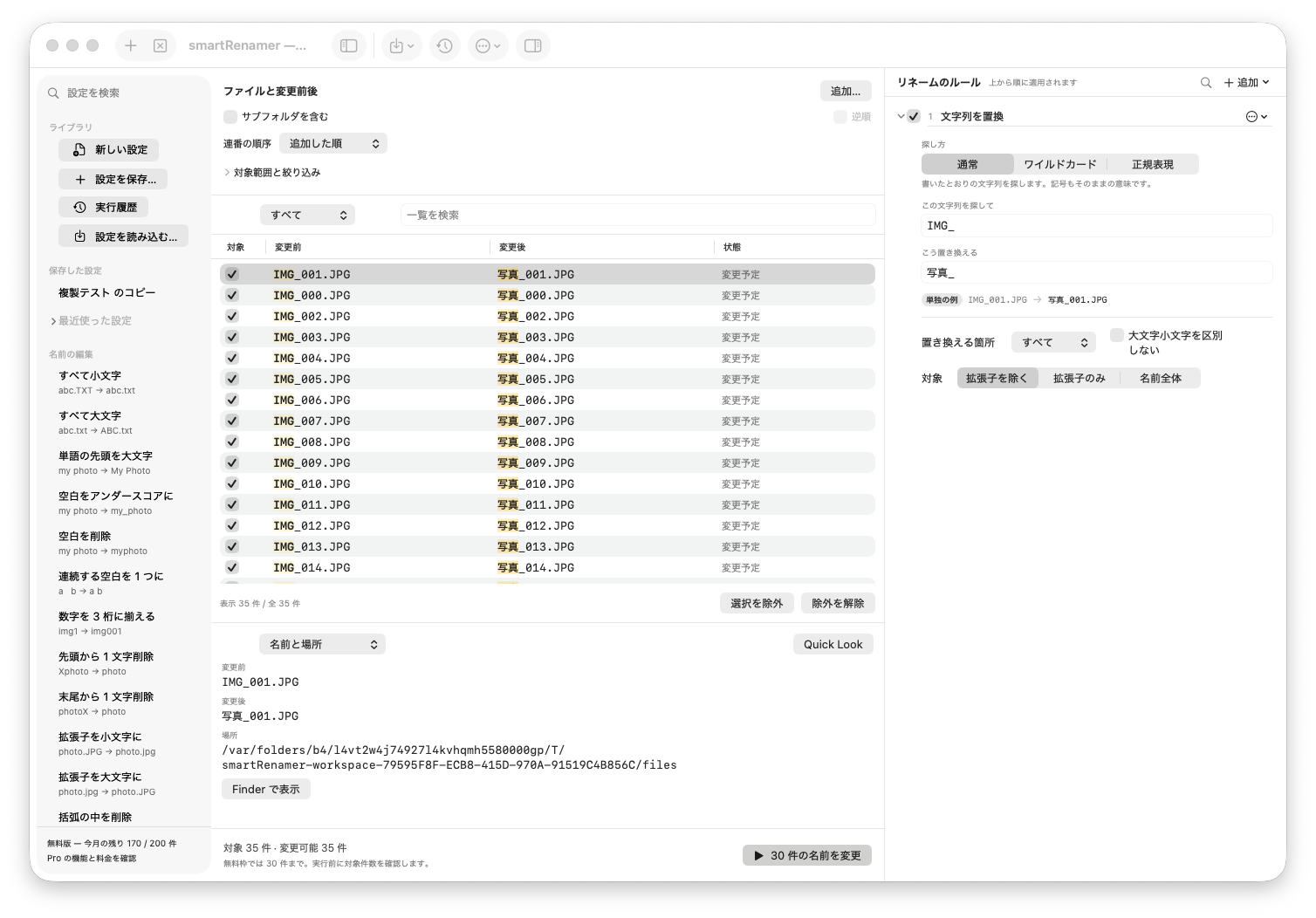
Choose a preset on the left, compare in the center, and adjust rules on the right.
Inspect file details and each rule's intermediate result.
01Save your routineReuse a set of rules as a preset.
02Choose the right filesUse collection scope and inclusion checkboxes.
03Keep track of resultsReview what happened in results and history.
Drop files or folders into the window, or use Add.
Start with a preset, or combine replacement and numbering rules.
Check the preview and file count first. Use history if you need to revert.
Renaming happens locally. File names and contents are not sent to the developer's server. No account required.
Mac App Store release coming soon
FREE
Free
200 renames a month · 30 per run
PRO
Lift the rename limits
One-time, annual, and monthly plans planned
The download button will be available here after release. Existing testers can get the latest build in TestFlight.
Runs are recorded in history, where you can undo name changes. Files moved, deleted, or renamed in another app may not be recoverable by this operation. Check the result details.
Normal renaming changes the name. Separate encoding and line-ending tools change file contents. Check the operation you select before running it.
Apple silicon and Intel Macs running macOS 14 or later.