AVIF/JXL CONVERTER · HELP
Help & how to
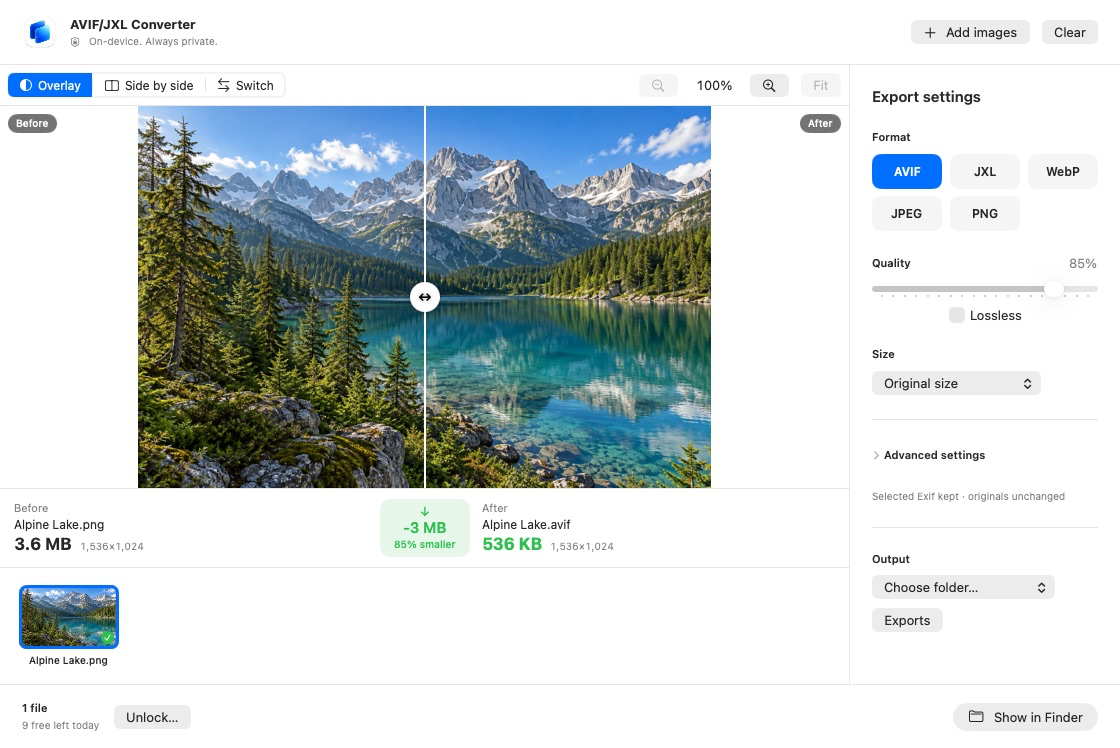
Choose your images, set the format, then convert and save.
Quick start
- On iPhone or iPad, select images using Photos or Files. On Mac, use Add images or drop files into the window.
- Choose AVIF, JPEG XL, WebP, JPEG or PNG, then set quality and size.
- Convert. On iPhone or iPad, use Share / Save to Files in Results. On Mac, use Show in Finder.
Save your converted files before clearing results on iPhone or iPad. Save to Photos is available for JPEG and PNG.
For questions, use the contact form.